Migration from Python diagrams
This guide helps you migrate from the Python diagrams library to diagrams-js.
Why JavaScript?
The JavaScript/TypeScript port has some unique features:
- Browser support - runs directly in browsers with no need for a build step (demo)
- Runs everywhere - works in Node.js, Deno, and Bun
- Dependency-free - no dependencies required (uses a Wasm build of Graphviz)
- Render as Data URL - returns base64 data URL for easy embedding in HTML
- JSON serialization - two-way conversion between diagrams and JSON
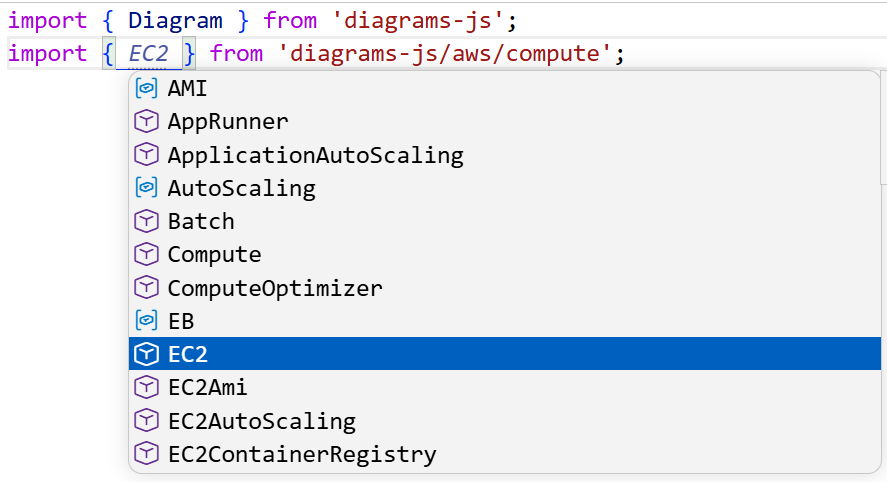
- Type safety - full TypeScript support with IDE autocompletion
- CLI - CLI for rendering, importing, diffing, and scaffolding (docs)
tip
Let your AI agent do the migration for you!
There is a skill available for migration from Python to TypeScript.
Syntax Differences
Creating Diagrams
Python:
from diagrams import Diagram
from diagrams.aws.compute import EC2

with Diagram("My Diagram", show=False):
    EC2("web")
TypeScript:
import { Diagram } from "diagrams-js";
import { EC2 } from "diagrams-js/aws/compute";

const diagram = Diagram("My Diagram");
diagram.add(EC2("web"));

const svg = await diagram.render();
Key differences:
- Use function call
Diagram()instead of context managerwith Diagram() - Explicitly add nodes with
diagram.add() - Call
render()explicitly
Creating Nodes
Python:
web = EC2("Web Server")
TypeScript:
const web = diagram.add(EC2("Web Server"));
Key differences:
- Always add nodes to diagram explicitly
- Provider functions return node instances
Connections
| Python | TypeScript |
|---|---|
node1 >> node2 | node1.to(node2) |
node1 << node2 | node1.from(node2) |
node1 - node2 | node1.with(node2) |
node1 >> [node2, node3] | node1.to([node2, node3]) |
node1 << [node2, node3] | node1.from([node2, node3]) |
[node1, node2] >> node3 | [node1, node2].forEach(n => n.to(node3)) |
Python:
web >> api >> database
api >> storage
TypeScript:
web.to(api).to(database);
api.to(storage);
Clusters
Python:
from diagrams import Cluster

with Diagram("Services"):
    with Cluster("Web Tier"):
        web1 = EC2("web1")
        web2 = EC2("web2")
TypeScript:
import { Diagram } from "diagrams-js";

const diagram = Diagram("Services");
const webTier = diagram.cluster("Web Tier");
const web1 = webTier.add(EC2("web1"));
const web2 = webTier.add(EC2("web2"));
Key differences:
- Call
diagram.cluster()to create a cluster - Add nodes to cluster with
cluster.add()
Nested Clusters
Python:
with Cluster("Production"):
    with Cluster("Services"):
        api = ECS("api")
TypeScript:
const production = diagram.cluster("Production");
const services = production.cluster("Services");
const api = services.add(ECS("api"));
Edges
Python:
from diagrams import Edge

web >> Edge(color="red") >> db
TypeScript:
import { Edge } from "diagrams-js";

web.to(Edge({ color: "red" }), db);
Key differences:
- Use object notation for options:
Edge({ color: "red" }) - Pass edge as first argument to
to(),from(), orwith()
Custom Nodes
Python:
from diagrams.custom import Custom

with Diagram("Custom"):
    prod = Custom("Product", "https://mywebsite.com/icon.png")
TypeScript:
import { Custom } from "diagrams-js";

const diagram = Diagram("Custom");
const prod = diagram.add(Custom("Product", "https://mywebsite.com/icon.png"));
Import Paths
Provider import paths follow the same pattern:
| Python | TypeScript |
|---|---|
from diagrams.aws.compute import EC2 | import { EC2 } from "diagrams-js/aws/compute" |
from diagrams.aws.database import RDS | import { RDS } from "diagrams-js/aws/database" |
from diagrams.gcp.compute import GCE | import { GCE } from "diagrams-js/gcp/compute" |
from diagrams.k8s.compute import Pod | import { Pod } from "diagrams-js/k8s/compute" |
Full Migration Example
Python:
from diagrams import Diagram, Cluster, Edge
from diagrams.aws.compute import EC2, ECS
from diagrams.aws.database import RDS
from diagrams.aws.network import ELB

with Diagram("Web Services", show=False):
    lb = ELB("lb")

    with Cluster("Services"):
        web1 = ECS("web1")
        web2 = ECS("web2")

    db = RDS("database")

    lb >> [web1, web2]
    web1 >> Edge(color="red") >> db
    web2 >> Edge(color="red") >> db
TypeScript:
import { Diagram, Edge } from "diagrams-js";
import { EC2, ECS } from "diagrams-js/aws/compute";
import { RDS } from "diagrams-js/aws/database";
import { ELB } from "diagrams-js/aws/network";

const diagram = Diagram("Web Services");

const lb = diagram.add(ELB("lb"));

const services = diagram.cluster("Services");
const web1 = services.add(ECS("web1"));
const web2 = services.add(ECS("web2"));

const db = diagram.add(RDS("database"));

lb.to([web1, web2]);
web1.to(Edge({ color: "red" }), db);
web2.to(Edge({ color: "red" }), db);

const svg = await diagram.render();
Getting Help
- Documentation - Full documentation
- Examples - More examples
- API Reference - Complete API
- GitHub Issues - Report issues